Turn a topic into slides, then into a narrated video.
Type a topic and get an editable slide deck. Swipe through it, narrate in your own voice, and export a captioned video. Training, lectures and explainers — in one pass, in one app.
From the maker of the original 30hands — downloaded millions of times since 2012.
How it works
One pass.
No editing timeline.
Start with a topic — or your deck
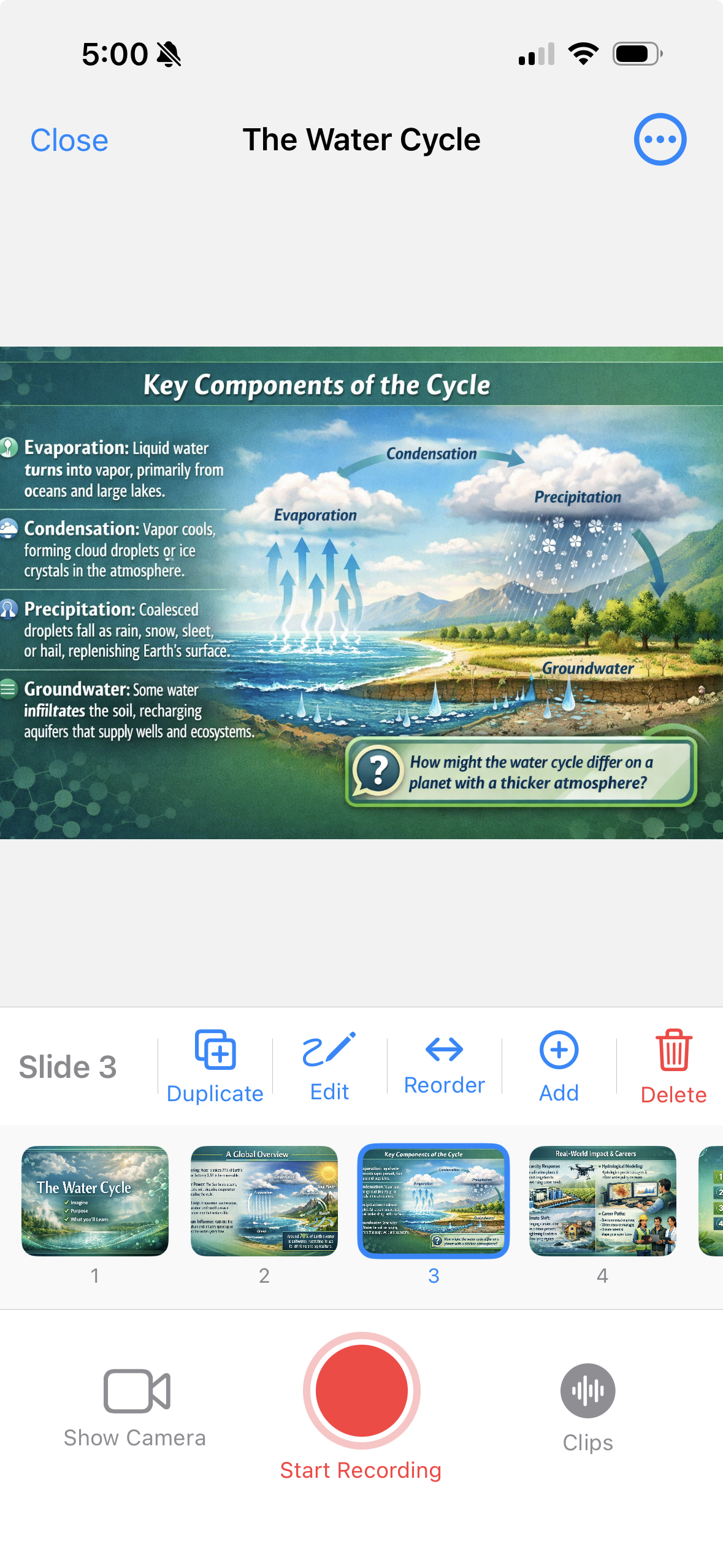
Type a topic and AI builds the outline and slides. Or import the PDF, Google Slides deck or images you already have.
Narrate as you swipe
Tap record and talk through each slide, the way you'd present to a room. Your voice and slides stay in sync automatically.
Export & share
Get a captioned MP4 in portrait or landscape, or publish a link anyone can watch. Drop it into your LMS, wiki or onboarding portal.
No deck yet?
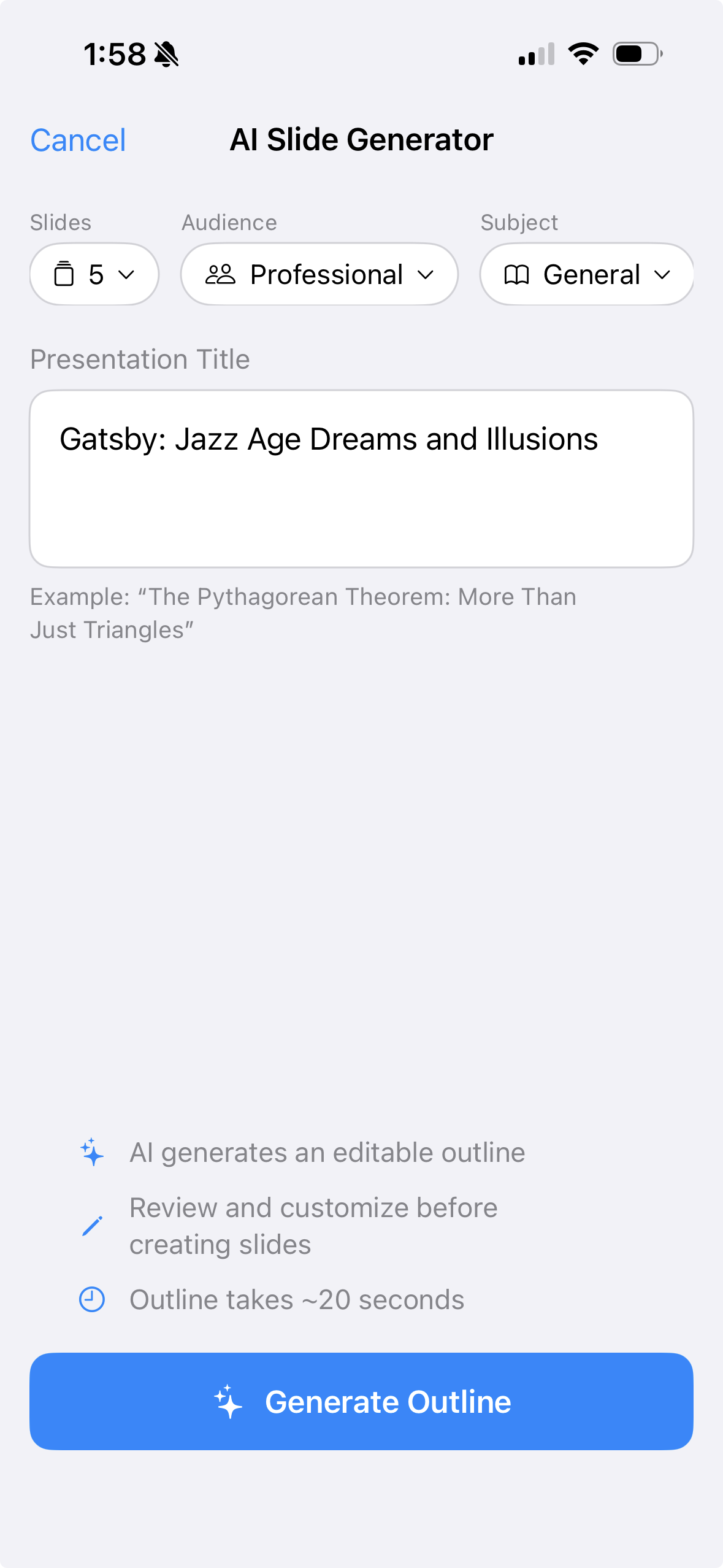
Start with a topic.
Type a topic, pick your audience, hit Generate. In about 20 seconds you have an editable outline and a complete slide deck — visuals included.
You bring the expertise. 30hands handles the slides.
Already have a deck?
Bring it.
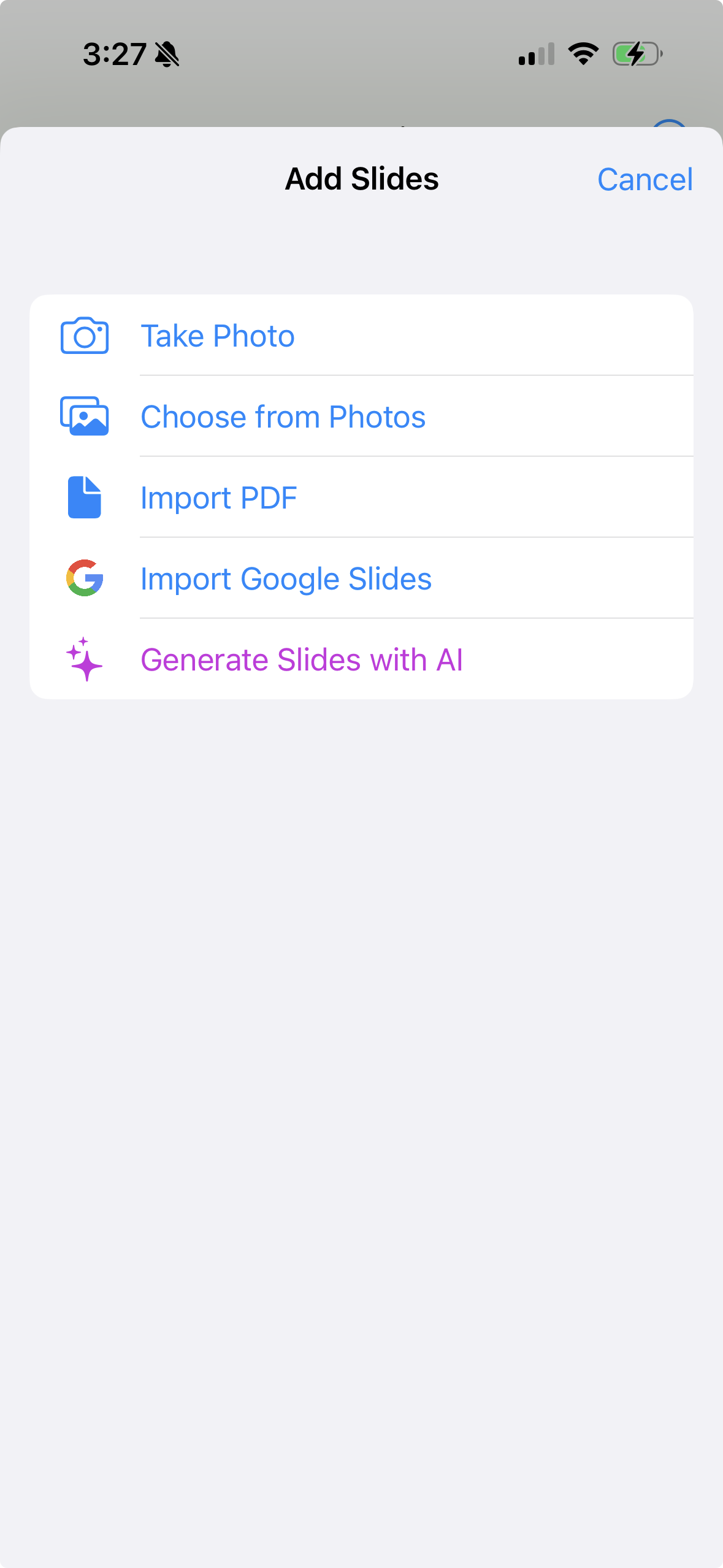
Export your PowerPoint or Keynote as a PDF and import it. Pull a deck straight from Google Slides. Add images from your camera roll.
30hands works with what you already have — no reformatting required.
Your voice.
Not an avatar.
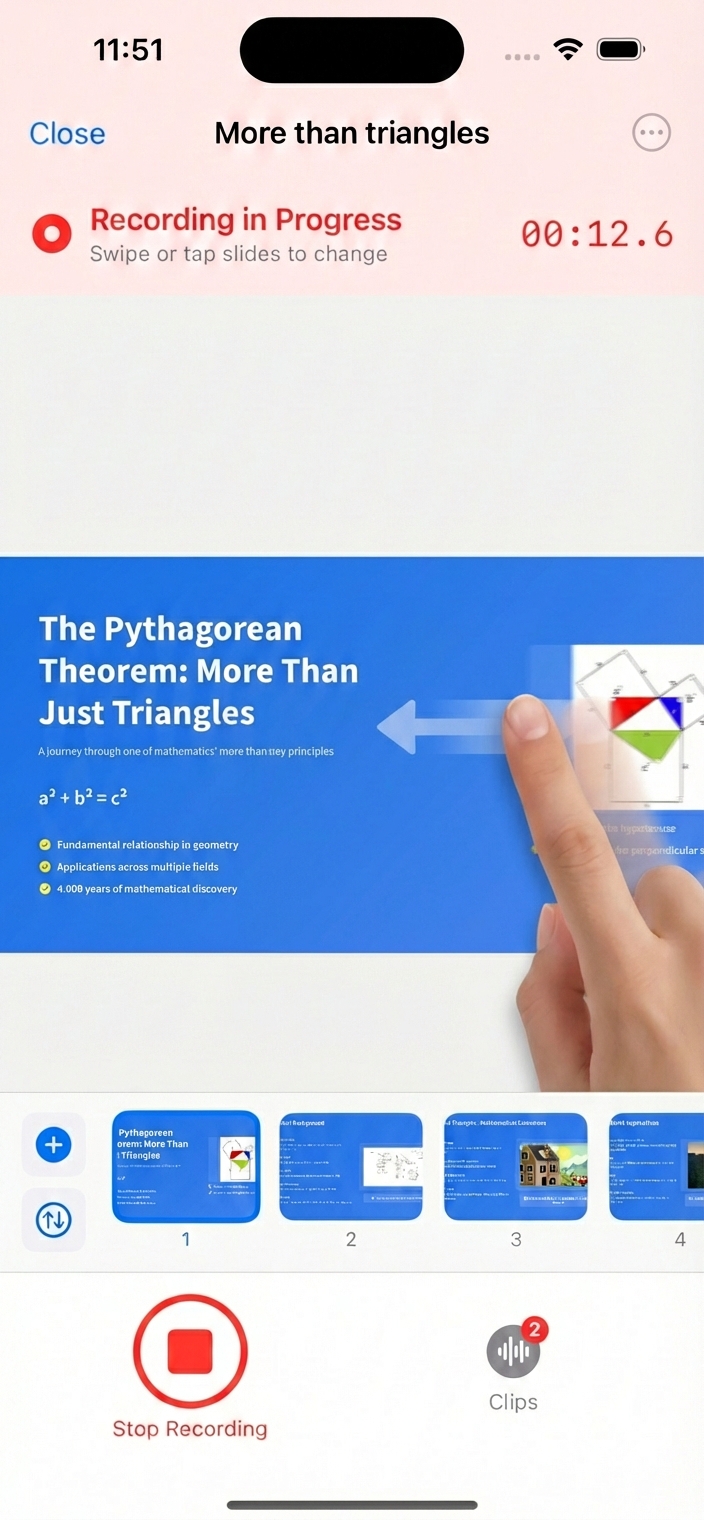
Tap record and swipe through your slides as you speak. 30hands keeps your voice and slides in sync — automatically. Learners hear the actual expert, not a synthetic presenter.
No timeline. No keyframes. No three-hour tutorial to add a caption. Just talk and tap.
Done.
Now ship it.
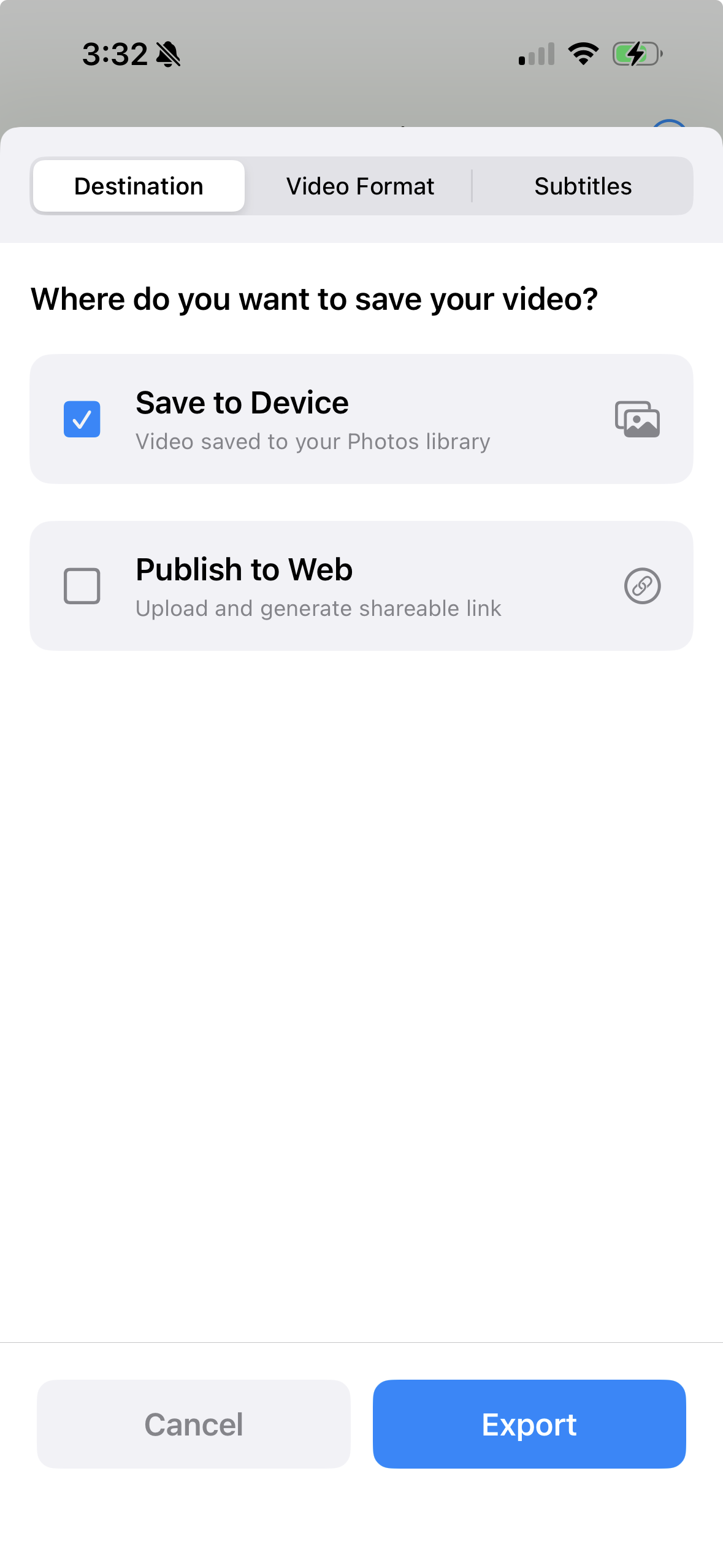
Save an MP4 to Photos, or publish to the web and share a link — viewers don't need an account.
Portrait or landscape, with auto-captions. Upload it to your LMS, intranet or YouTube — or play it at the next all-hands.
Built for teams
that teach.
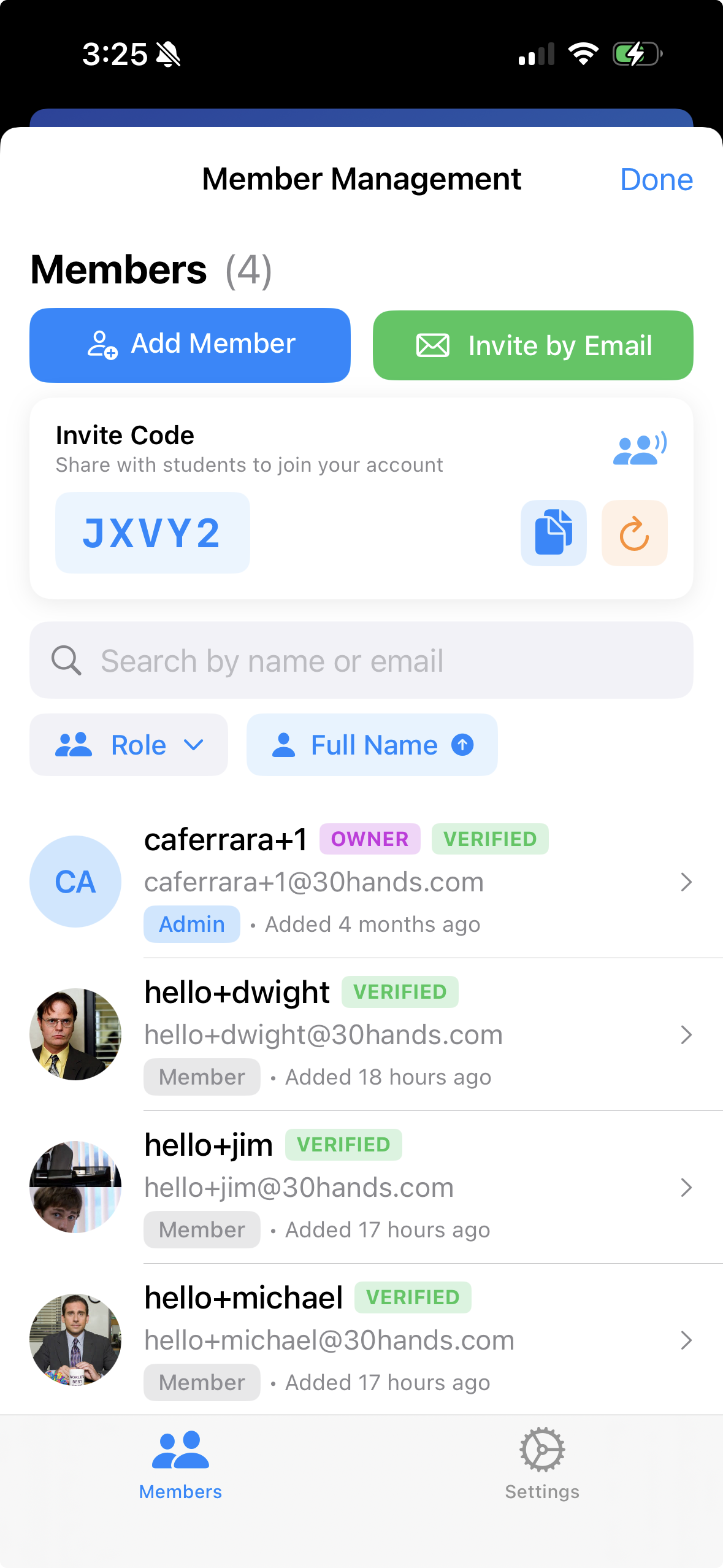
Invite colleagues by email or share an invite code. One subscription covers everyone you invite, so the whole team gets Pro features when you upgrade. Keep every training project in one place instead of scattered across drives.
Works for an L&D team, a teaching department, or a group of subject-matter experts.
Who it's for
Made for people who explain things
If you can present it, you can ship it as a video.
L&D teams
Turn existing decks into onboarding, compliance and enablement videos — without booking a studio or learning an editor.
Instructors
Record lectures and course modules by talking through your slides — no production setup required.
Consultants & experts
Send a narrated walkthrough instead of another deck nobody reads.
Teachers
Create flipped lessons and explainers your students will actually watch.
Create your first video
in under five minutes.
Free to start. No card needed.