Comparison · Camtasia
A Camtasia alternative for narrated slide videos
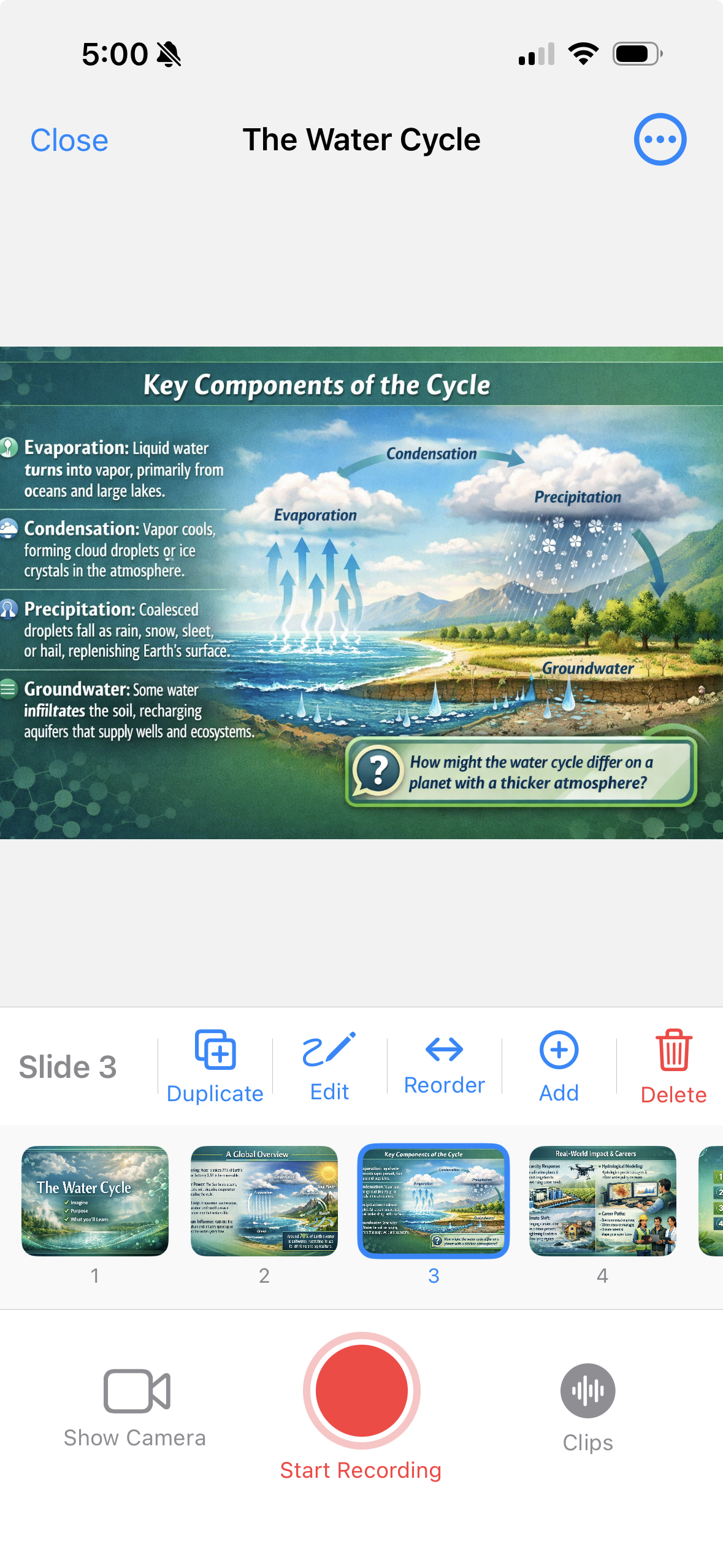
Camtasia is a full screen recorder and video editor. If your training content is really a deck with a voice over it, 30hands gets you there faster — from a topic, a PDF or Google Slides, on your iPhone or iPad, with no timeline.
Camtasia vs. 30hands at a glance
Different tools for different jobs. Here's how they compare for turning slides into a narrated video.
Best for
Camtasia
Screen recordings, software demos and detailed video edits
30hands
Narrated slide videos: training, lectures, explainers
Runs on
Camtasia
Windows and Mac desktops
30hands
iPhone and iPad, plus a web companion
You start from
Camtasia
A screen or camera recording
30hands
A topic, a PDF, a Google Slides deck or photos
Editing
Camtasia
Multi-track timeline
30hands
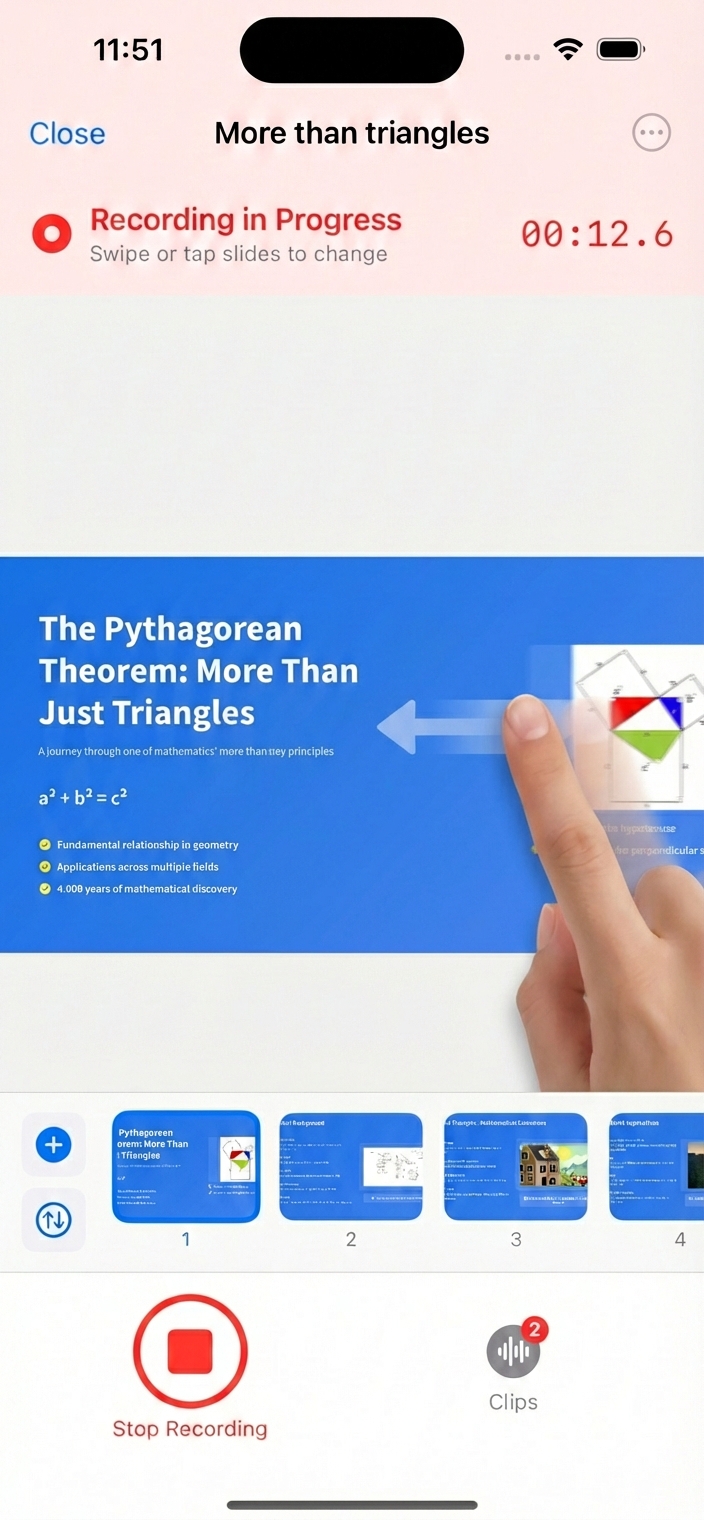
No timeline — swipe slides as you talk, redo a clip
Records your screen
Camtasia
Yes
30hands
No
Price
Camtasia
Subscription, $39–$599 per year
30hands
Free to start; Pro $7.99/month or $59.99/year
| Feature | Camtasia | 30hands |
|---|---|---|
| Best for | Screen recordings, software demos and detailed video edits | Narrated slide videos: training, lectures, explainers |
| Runs on | Windows and Mac desktops | iPhone and iPad, plus a web companion |
| You start from | A screen or camera recording | A topic, a PDF, a Google Slides deck or photos |
| Editing | Multi-track timeline | No timeline — swipe slides as you talk, redo a clip |
| Records your screen | Yes | No |
| Price | Subscription, $39–$599 per year | Free to start; Pro $7.99/month or $59.99/year |
Camtasia details from TechSmith's pricing page, September 2026. Check techsmith.com for current plans.
Which one should you use?
Choose Camtasia if…
- You're recording software demos or on-screen tutorials.
- You need detailed edits: zooms, callouts and multiple tracks.
- You work at a Windows or Mac desktop and want a full editor.
Choose 30hands if…
- Your content is slides — onboarding, compliance, lectures, explainers.
- You don't have a deck yet and want AI to draft one from a topic.
- You'd rather talk through slides than edit a timeline.
- You want captions and a shareable link without extra steps.
How 30hands works
Three steps, no timeline
- 1. Start with slides. Type a topic and let AI build the deck, or import a PDF, a Google Slides deck or photos.
- 2. Narrate as you swipe. Tap record and talk through each slide. Each recording is a clip you can redo on its own.
- 3. Export or share. Get a captioned MP4 in landscape or portrait, or publish a link viewers can open without an account.
Step-by-step guides: Google Slides to video · PDF to video
Frequently asked questions
Can 30hands record my screen?
No. 30hands narrates slides — from a topic, a PDF, Google Slides or photos. For software demos and screen tutorials, a screen recorder like Camtasia is the better tool.
Can I use my existing PowerPoint decks?
Yes. Export the deck as a PDF and import it, or import it from Google Slides. Every slide comes in as an image, ready to narrate.
Does 30hands run on Windows or Mac?
You create videos in the 30hands app for iPhone and iPad. The 30hands web app works in any browser for managing projects, recording, exporting and sharing links.
How much does 30hands cost?
You can start free: 3 projects and videos up to 5 minutes, with a watermark. Pro is $7.99/month or $59.99/year; Pro+ is $14.99/month or $119.99/year. Subscriptions are billed through Apple.
Does 30hands add captions?
Yes. Turn on auto-captions when you export and 30hands transcribes your narration into the video.
Do I need video editing experience?
No. If you can present a deck, you can make a video: tap record, talk, and swipe to the next slide.
See everything 30hands can do on the features page, or compare plans on pricing.
If it's a deck,
skip the editor.
Free on iPhone and iPad. No card needed.
Camtasia is a trademark of TechSmith Corporation. 30hands is not affiliated with TechSmith.